
This wide-server inspection is designed to ensure all participants gain a understanding of the facility’s operations, protocols, and expectations. It focuses on the effectiveness of the inspection in equipping participants with the knowledge and skills necessary to excel in their roles.
-
Find a Co-Host (Maximum is 2, must be Community Advisory Council+)
-
Find two helper(s) (Maximum is 2, must be Community Advisory Council+)
-
Prison Commissioner is required to have a supervisor present when hosting.
- Board of Governors+ may host an inspection without a supervisor present.
-
Ensure that all staff members, including the Facility Director and those below, are enrolled in STS (Shoulder to Shoulder)
-
Inspections may be hosted twice a week, leadership personnel may not bypass the hosting limit.
-
Claim a hosting spot through Bloxcord and follow the provided instructions. (More information on how to use the Bloxcord session interface here)
- Inspections must be announced at least 30 minutes prior to being hosted, but may optionally be posted up to 6 hours in advance.
-
Make an in-game announcement. Example of in-game announcement: “
sm All staff Facility Director and under must come to the Session-Room due to a mandatory Inspection being hosted. Failure to attend will result in consequences.”- If you do not have the minimum amount of attendees required to start the session, you are permitted to make 2 additional bonus calls. If you are still under the attendee requirement, you must cancel the session. (This session will not count towards your activity.)
-
Review the Inspection Materials: Before beginning the session, thoroughly review all inspection materials. Being well-versed in the content will allow you to confidently answer questions and provide clear instructions.
-
Prepare for Questions: Anticipate potential questions participants may have and prepare clear, concise answers. This will help ensure the inspection session runs smoothly.
-
Set Clear Objectives: At the start of the session, clearly outline the inspection objectives. This helps participants understand what they are expected to learn and achieve by the end of the session.
-
Engage Participants: Encourage active participation from all trainees. Use questions, discussions, and interactive activities to maintain engagement throughout the session.
-
Disciplinary Actions for Participants: If necessary, remove disruptive individuals after providing an appropriate number of warnings, up to and including removal from the inspection session.
-
Professionalism & Respect: Session administrators are required to show respect to one another, as well as to all participants.
-
Role Call: Session administrators are responsible for auditing users’ activity during the inspection, reporting back to Bloxcord, conducting role calls, and performing various other tasks as needed.
- Feedback: At the end of the session, gather feedback from participants. This can offer valuable insights into what went well and areas for improvement in future inspection sessions.
This section is designed to set the tone for the inspection by introducing the hosts and outlining key rules and expectations. It ensures all participants understand the importance of respect, proper conduct, and active participation. Adhering to these guidelines will help create a smooth and productive inspection process.
You must gather all staff excluding Community Advisory Council+ in the Sessions Room.
STS on the Host/Co-Host instructional line
Host: Hello. Welcome to today’s inspection! My name is [Name], and I’ll be your host.
Co-Host: Hey! I’m [Name] your co-host, and I’ll be assisting in today’s inspection.
[The host/co-host may select their own greeting/introduction. However, it must be appropriate]
Host: Before we begin, let’s go over a few rules to help you pass this Inspection.
I - You must call me and my Co-Host by our ranks at all times.
II - Do not go AFK (Away From Keyboard) during this Inspection. Doing this will result in being staff warned and removed from this Inspection.
III - Do not say PTS (Permission To Speak) while I am speaking. Doing this will result in a warning, only use PTS if it’s an emergency.
IV - You must be respectful to everyone at all times. Not following this will result in a removal of the inspection, and a demotion/suspension.
V - If there is any problem, come to me, my Co-Host or the Helpers.
VI - You must use grammar, not using grammar will result in a failure.
VII - No asking for promotions/ranks.
Co-Host: If you are a middle-rank we ask that you stand on the green instructional line during this inspection.
Ensure the middle-ranks are on the green instructional line.
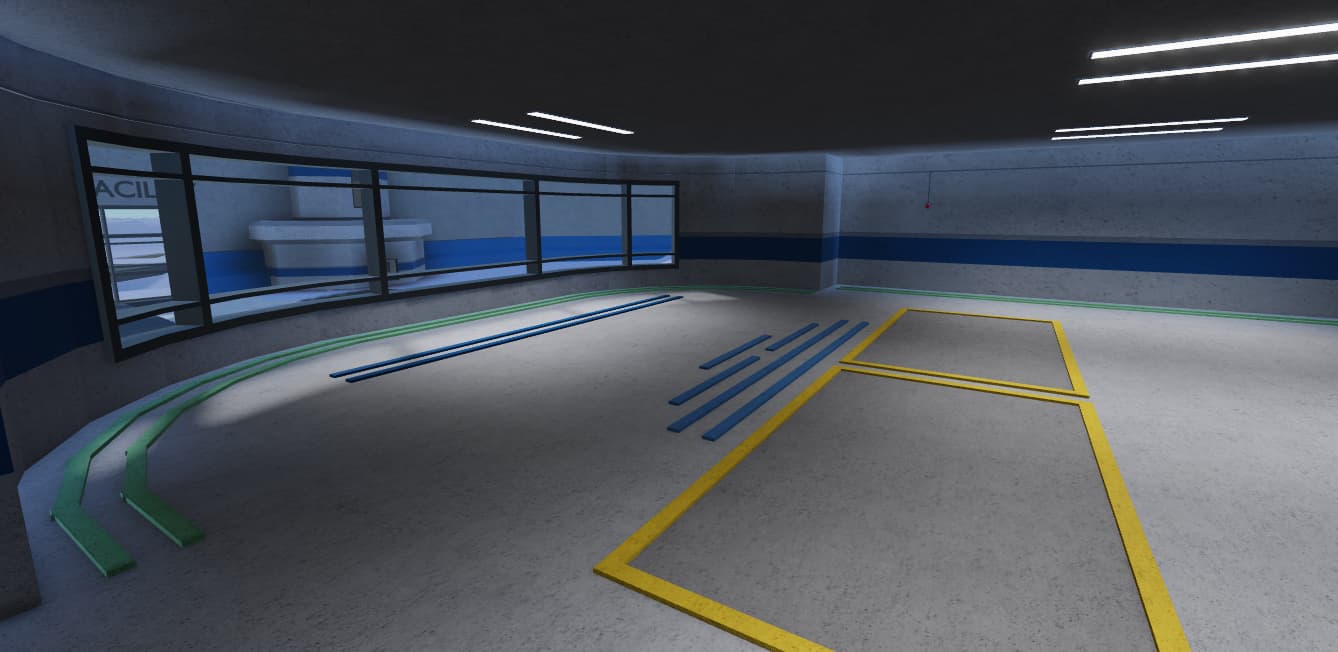
Ensure the middle-ranks are on the green instructional line.
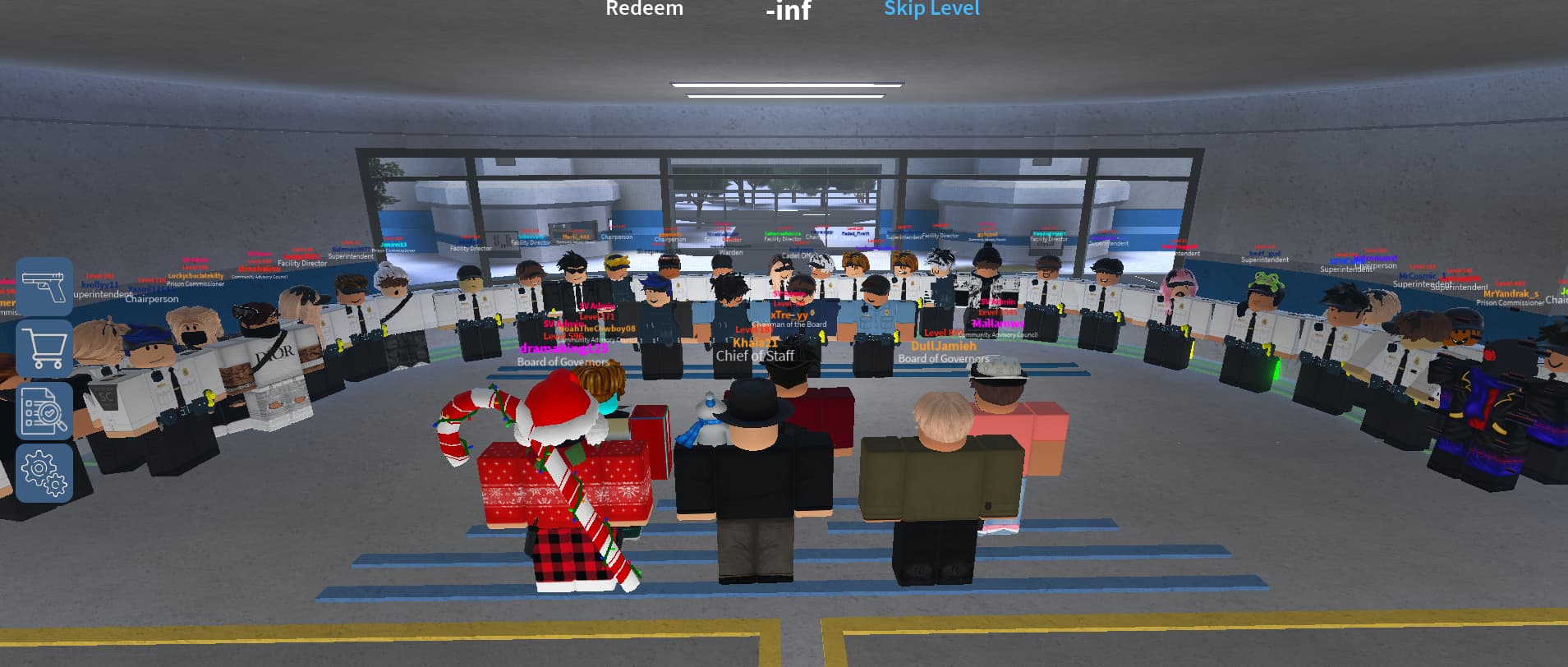
This Inspection is made up of four sections, Faces, Procedures/Comprehension, Simulation Tactics, and Accuracy.
SESSION FACES
This section focuses on practicing and perfecting the basic “faces” commands to ensure trainees are attentive and responsive. It tests reaction time and listening skills, which are crucial for maintaining order and discipline. By mastering these commands, participants demonstrate their readiness for more advanced tasks.
Host/Co-Host, you have the option to go over faces or start the test right away.
NOTE: Elimination is completely optional for the host to do!
Host/Co Host: We are now doing Faces. In this phase, we will be testing your reaction time and listening skills!
Host/Co Host: Please listen carefully as I will only explain each face once. DO NOT actually do the faces at this point.
Host/Co-Host, you have the option to go over faces or start the test right away.
Host/Co-Host:
-
Left Face - Turn 90 degrees to the left from the current position.
-
Right Face - Turn 90 degrees to the right from the current position.
-
Center Face - Turn to normal position. (Position from the beginning or face the Host/Co-Host)
-
About Face - 180 degrees from the current position.
-
Control Face - Face the Host/Co-Host at all times. (Host/Co-Host should be in the middle of your screen at all times)
- Note: Only Center Face breaks Control Face.
(MIDDLE-RANK-ONLY) Left Incline - Turn 45 degrees to the left from the current position.
(MIDDLE-RANK-ONLY) Right Incline - Turn 45 degrees to the right from the current position.
Once done with Faces, you will proceed to the Procedures/Comprehension phase.
In this section, participants are assigned roles such as Scout, Patrol, or Captain, each with specific responsibilities related to prison security. They will engage in two drills: Lockdown and Blackout, where communication and adherence to procedures are crucial. During the drills, staff must ensure inmates are secured and follow safety protocols, while the Host and Co-host monitor performance. Feedback will be provided to ensure understanding and improvement in future inspections.
Host: Next, we will be going over key Procedures/Correctness skills you must demonstrate as you would on a regular basis during a Stateview Shift.
Host: You will all be given one of the following posts: Scout, Patrol, or Captain.
Host: If you are given the role of scout, you will be in charge of patrolling the outer walls of the prison, and communicating with staff inside the prison in regards to raiders/escapees.
Host: If you are given the role of patrol, you will be in charge of patrolling the prison and maintaining control of the current status of the prison.
Host: If you are given the role of Captain, you are in charge of the scout and patrol teams, making sure both teams are working together properly and leading both teams during the drills.
Host: This phase will last for 15 minutes, during which you must maintain the responsibilities of your role.
Host: My co-host will now assign the roles.
Host: During this section, you will undergo a Lockdown drill and Blackout drill which you must engage with in order to pass this section.
Host: Before we dismiss you, we’d like to go over a few expectations that we expect, in addition to information that will assist you.
Host: Lockdown Drill: On the commencement of a Lockdown drill, attendees are to transfer all inmates into their cells. Everyone should be within cell-block during the Lockdown.
Host: Blackout Drill: The power within the facility will be shutdown. Guards and inmates are required to be inside of cellblock until the procedure concludes. We ask that you do not restore the power.
I - You are required to communicate.
II - When communicating on the radio, use the format: [Rank] (Text). Example: [CP] Cell Block is clear!
III - Please, remember NOT to keep doors open and NOT to use lethal force unnecessarily.
IV - You will be asked questions about the drill or your role in a private-message. You must answer these questions with grammar to the best of your ability.
Host: Without further ado, you are dismissed to your roles.
The Host/Co-Host will privately reach out to attendees with questions about their actions during the procedures to assess their understanding and performance. Additionally, attendees are encouraged to ask any questions they may have to ensure clarity and effective participation.
- Where must all inmates be placed during a Lockdown drill?
- What is the responsibility of the patrol team?
- What must staff members do during a Lockdown drill?
- What would you do if an inmate attempts to escape while you are escorting them to their cell?
During a lockdown drill, it’s crucial to ensure all staff are aligned and informed. Maintaining clear, continuous communication is key to ensuring the drill runs smoothly and according to plan.
Notice: If there is not enough inmates, you are permitted to team attendees to the rank of “inmate".
-
Host/Co-host:
h There is an ongoing Lockdown Drill, all guards please transport the inmates to their cells. During this Lockdown Drill locking up inmates in their cells will not be seen as cuff abuse. The only people allowed in the CR are CAC+. -
Host:
h All staff personnel associated with the inspection, please switch over to channel two to obtain further details.
You may carry out the Control panel abuse punishment for people failing to abide by this rule.
While the attendees are carrying out the lockdown drill, make sure to note down the most active, good communication and the ones who capture the inmates. After you are done call back your attendees and helpers to the session room.
- You will now announce that no-one can change the Status or lockdown, example below. (Only Host and Co-Host can change the Status and turn on/off lockdown)
Host/Co-Host: “h Please do not change the Status or mess around with lockdown due to an ongoing inspection, failure to do so will result in a punishment.”
Before conducting a blackout drill, make sure everyone is fully briefed on their roles and responsibilities. During the drill, communication via radio will be unavailable, so all participants must be prepared to follow the procedure without it.
Within this drill, the host/co-host is to shut down the power of the facility. We ask that you wait an additional two minutes, then the host/co-host may restore the power.
-
Note: It is recommended that the co-host(s) stand beside the door with the power-box, to ensure it does not get touched during the drill.
- Notice: If there is not enough inmates, you are permitted to team attendees to the rank of “inmate”.
-
Host/Co-host: `h There is an active blackout. Please relocate all inmates to cell-block. Guards and staff are to be positioned in cellblock. No one is to be in the hallways.
You may carry out the Control panel abuse punishment for people failing to abide by this rule.
While the attendees are carrying out the blackout drill, make sure to note down the most active, good communication and the ones who capture the inmates. After you are done call back your attendees and helpers to the session room.
- Recommended Announcement:
h The situation has been resolved. Please resume facility operations.
Once completed, call all attendees back to the session-room for further instruction.
- Recommended Announcement:
h All attendees associated with the on-going inspection. Please report to the session-room.
- Make two calls before locking the session room.
In this section, participants will be tested on their ability to follow instructions and successfully execute two key tactics for securing the prison.
Ensure that everyone understands and is on the same page as you, this section will go wrong if you have attendees confused or unsure on what to do.
-
Host: We are now moving on to simulation tactics. In this section, we are testing you over your ability to not only listen to instructions, but to carry out two successful tactics to secure the prison.
-
Host: The following phase will be detailed and described to you next.
You will decide who passed this section based on who is actively following instructions, and doing what they need to correctly.
-
Host: We’ll now begin with a wedge formation where all of you will be placed somewhere in the session room in a wedge with all your weapons or shields out.
-
Host: Then you’ll be focused on the Sessions Room door, this is being done in case there’s Criminals planning to breach the Sessions Room.
-
Host: I’ll now explain wedge formation for those that do not know.
Wedge Formation - The Host will be the head, all the attendees should form an arrow or a V formation like birds flying in the sky.
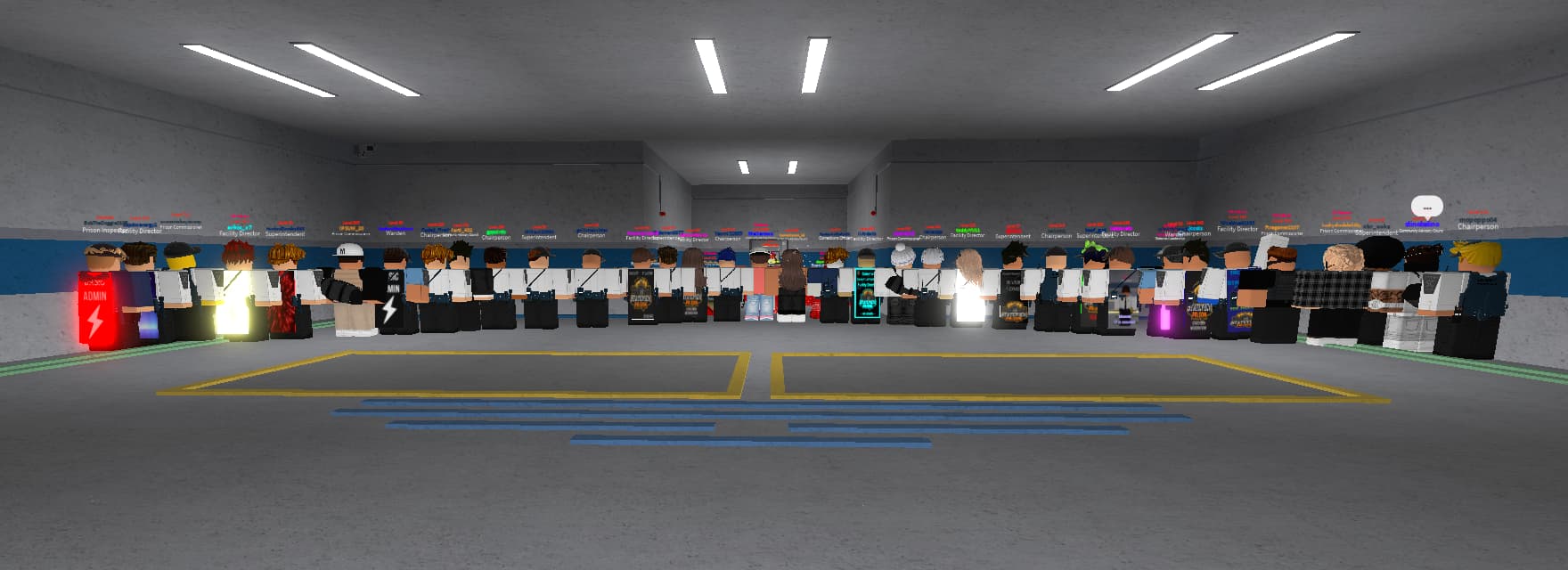
(HOST CAN EITHER PICK WEAPONS OUT OR SHIELDS OUT DEPENDING ON IF YOU HAVE ATTENDEES UNDER THE RANK OF ERT)
Host: Everyone, form a wedge formation on me with your [Shields / Pistols] out.
You will decide who passed this section based on who is actively following instructions, and doing what they need to correctly.
-
Host: Moving onto the next tactic, we’ll be practicing to keep criminals away from the yard.
-
Host: We’ll be in a SFL [Single File Line] and once we arrive at the yard gate we’ll move into a STS [Shoulder To Shoulder] line on the farthest white-line.
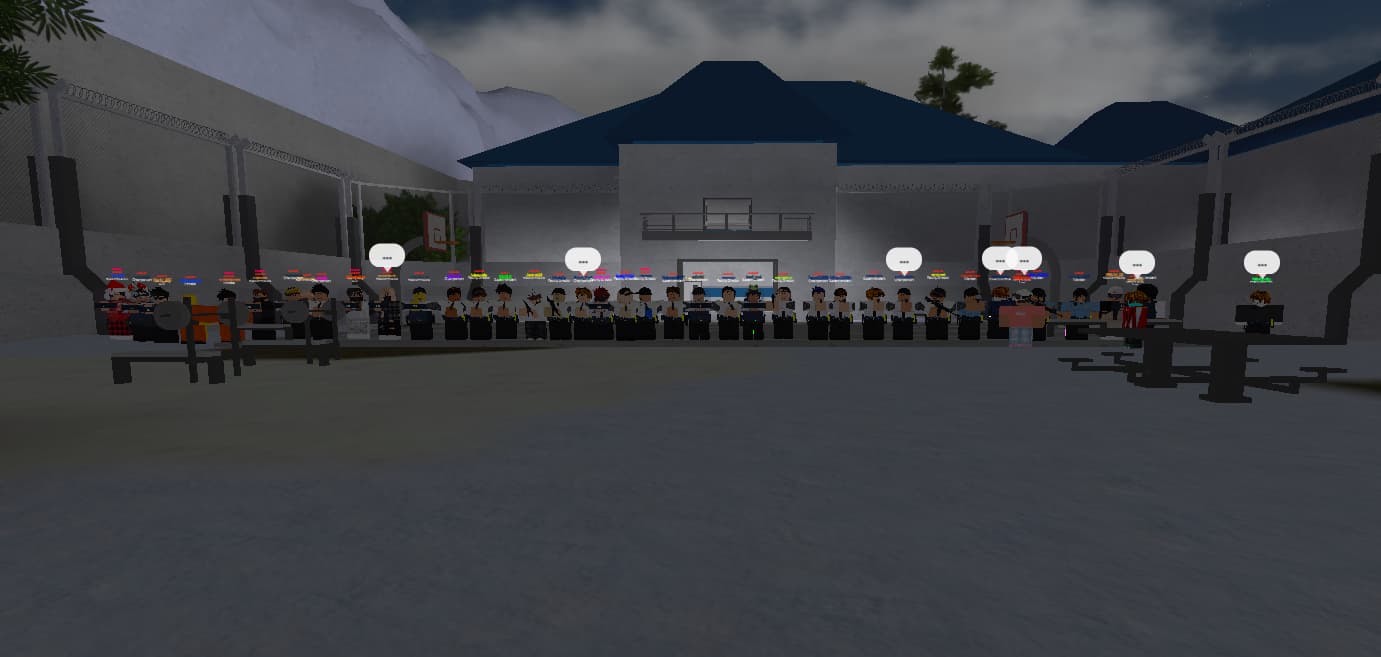
-
Host: The aim of doing this is to make sure that the yard can be secured as it is a place where a lot of raiders are able to easily take over, and help other prisoners escape.
-
Host: If you do not understand this section please give us a shout using the PTS system so we can ensure everyone is on the same page and that everyone knows what to do.
In the Accuracy phase, attendees will be tested on their precision, aiming skills, and listening ability. Participants must remain in STS (Shoulder to Shoulder) formation as demonstrated in the previous section. One of the helpers will act as a moving target, moving back and forth beside the prison wall.
- Keep attendees in STS formation as demonstrated in the previous section.
- Use one of your helpers to be the target, they will go back and forth beside the prison wall.
- If the status is yard, you may relocate to maximum-security yard.
-
Host: We are now moving onto the accuracy phase! In this phase, we will be testing you on your precision, aiming skills, listening skills and your accuracy!
-
Co-Host: Your task here is simple, you will be called up one by one and your aim is to taze the moving target! You have 3 tries to hit the target. Please remain in a straight line until you are called up.
Ensure to form two lines in the middle of where the attendees are.
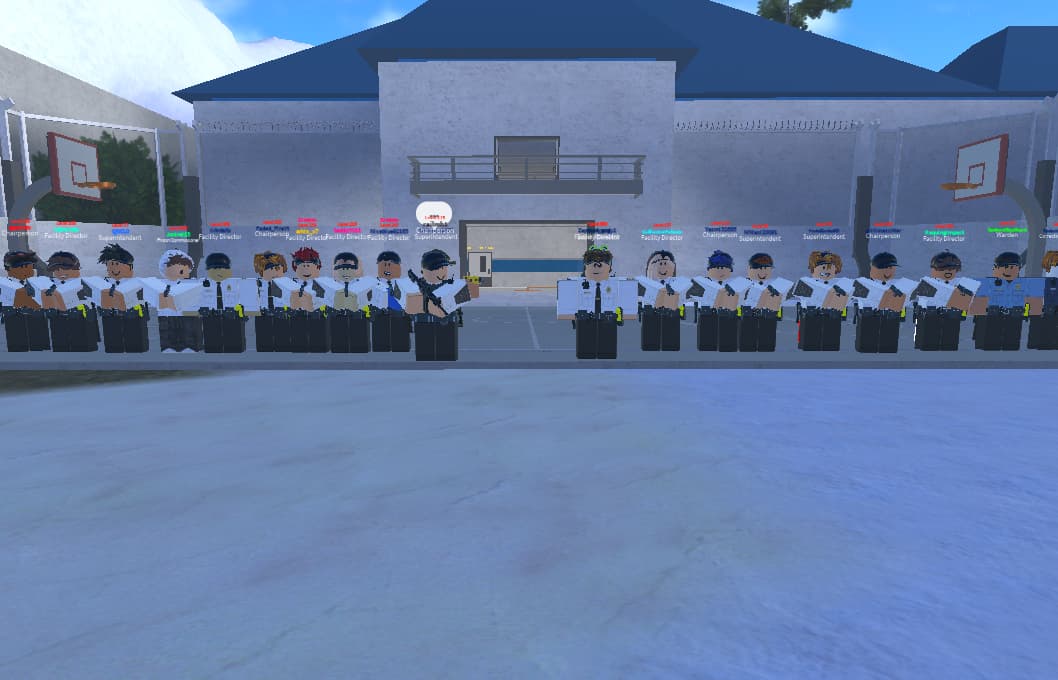
Host/Co-Host:
- Ready!
- Aim!
- Fire!
When each attendee is finished with accuracy, they will need to form a STS line by the yard-exit-door as stated below.
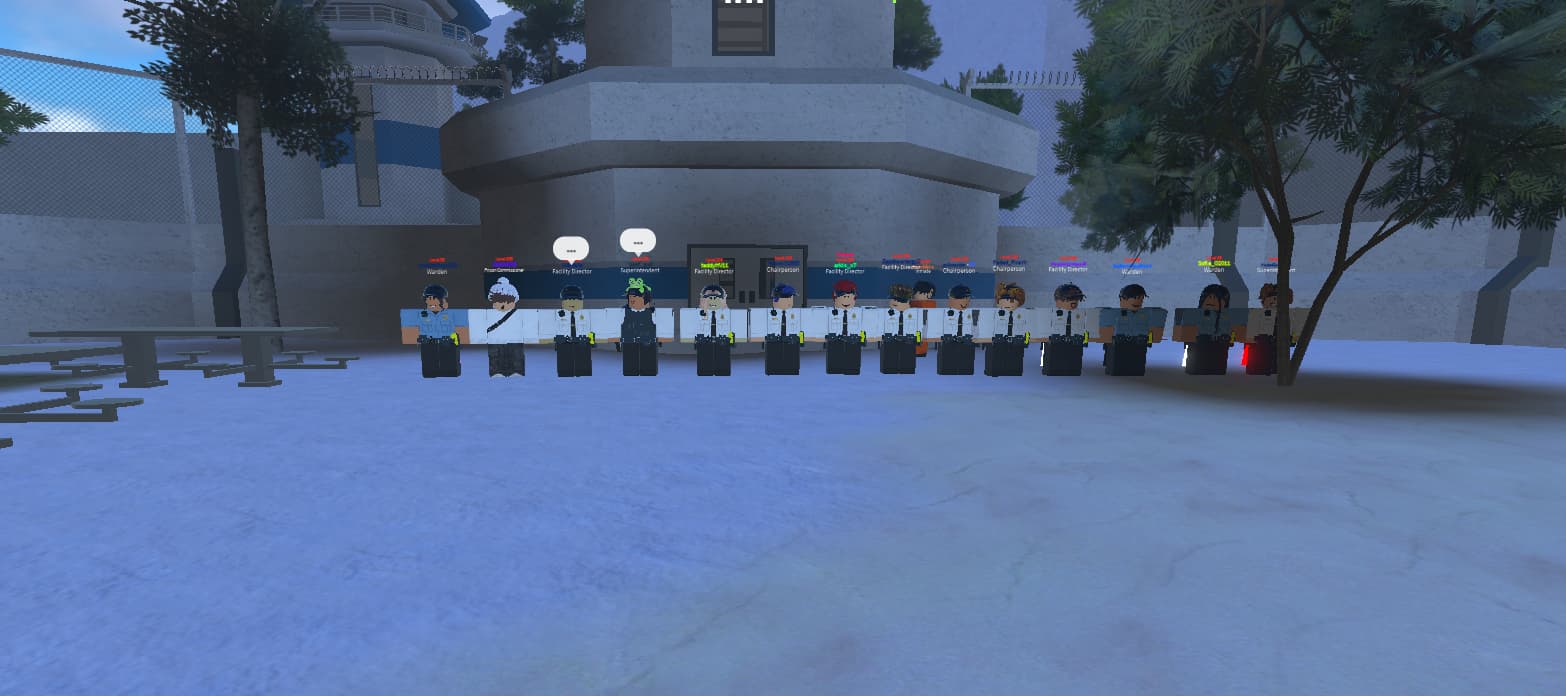
At the conclusion of the inspection, the Host and Co-Host will thank participants and announce the inspection’s end, directing attendees to the communication server for updates on passers. The session administration will mark attendance, promote those who passed, grade performance, and ensure everything is properly logged in the administration server.
CONCLUSION MESSAGES (OPTIONAL)
Host: “Thank you for attending our inspection today; it was a pleasure being your host!”
Co-Host: “On behalf of the team, thank you for participating, you’re dismissed!”
-
Announce conclusion: Announce the session conclusion:
h "The Inspection is now over. Go to our communication server for news/update(s) in regard of session passer(s). -
Mark Attendance: Tick “passed” on Bloxcord for attendees who have successfully completed at least 3 phases of the inspection.
-
Promote: Confirm the passers and proceed to the “ranking” section to promote those who are off cooldown. To promote passers, they will need background stats.
-
Grade Each Other: The session administration should then move to the “grading” section and grade each other’s performance.
-
Logging: Use the correct format for logging channels located in our administration server.